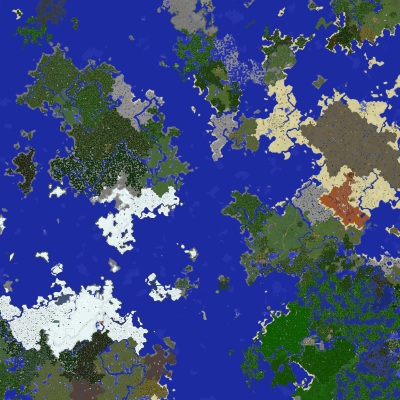
Server Info
The server has been retired. This page is in archive mode.
Details
- Server address: mining.diamonds
- Live map: legacy.mining.diamonds/map
- Backups: legacy.mining.diamonds/saves
- Version: Minecraft 1.12.2
- Mod manager: Forge 1.12.2-14.23.5.2815
- Map Seed: 1966026351216679435
- Private server / password required
Mods
-
Current Server Mod Pack - 4/20/2019
(Includes all below, zipped for convenience)
MD5: 1744b427e6f81758cbf9802953e2fe29
SHA-256: ca0b95dcfb5072dfa40108669f3190588f5e6111047b8494a995380abea959b9
- AdvancedMotd
- AppleSkin
- AromaBackup
- Aroma1997Core
- BiblioCraft
- Biomes O' Plenty
- Chisel
- Chunk-Pregenerator
- Clear Despawn
- ConnectedTexturesMod
- Custom Stuff 4
- Death Quotes
- Decocraft2
- DiscordIntegration
- DynmapForge
- DynmapBlockScan 3.0 (Snapshot)
- Erebus
- Exotic Birds
- Familiar Fauna
- Fast Leaf Decay
- Gotta Go Fast
- Industrial Craft
- Just Enough Items (JEI)
- Login Shield
- Mantle
- Morpheus
- NetherPortalFix
- OptiFine HD Ultra E3
- Pam's HarvestCraft
- Pecunia - Porkenstein's Fork
- PTRLib
- QuickHomes
- QuickSpawns
- QuickTeleports
- Railcraft
- Redstone++
- S3: Scheduled Server Shutdown
- Server Tab Info
- Signal-Catcher
- Tick Dynamic
- Tinkers' Construct
- Twilight Forest
How to Setup Client
- Download MultiMC (Direct Link) and extract the zip to a folder on your machine
-
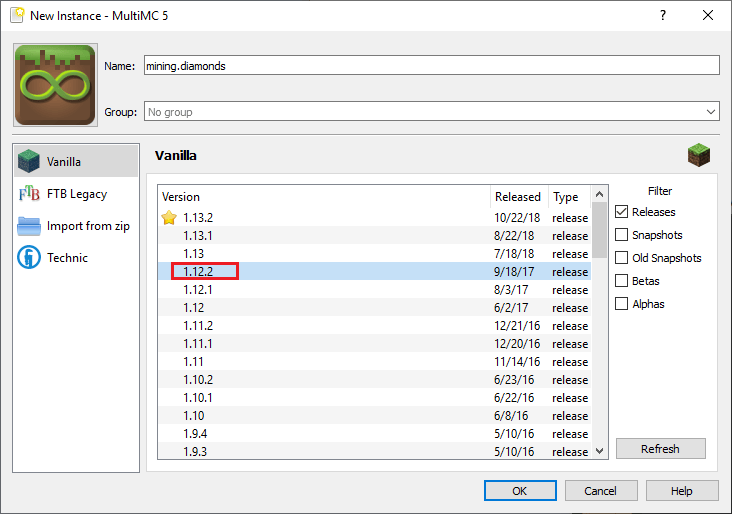
Open MultiMC and click "Add Instance"

-
Use the name "mining.diamonds" and choose version 1.12.2
-
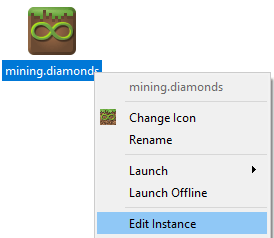
Right-click on the new instance > Edit instance
-
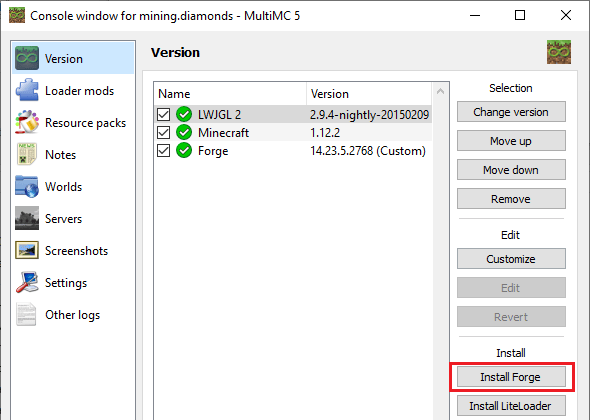
On the Version tab > Click the "Install Forge" button
-
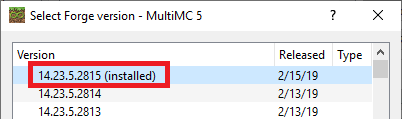
Choose version 14.23.5.2815 (2/15/19) > OK
-
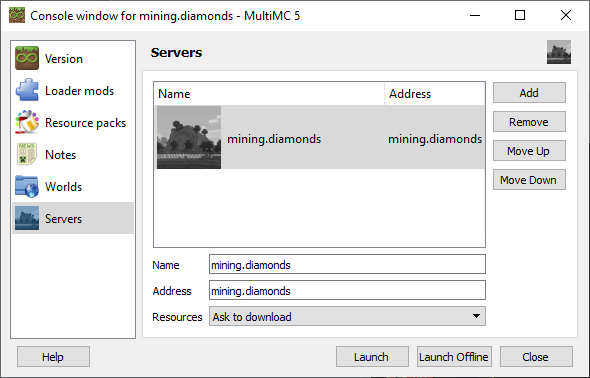
On the Server tab > Add the server with the name and address both
mining.diamonds
-
On the Settings tab > Change the Maximum memory allocation to
atleast 4096 MB
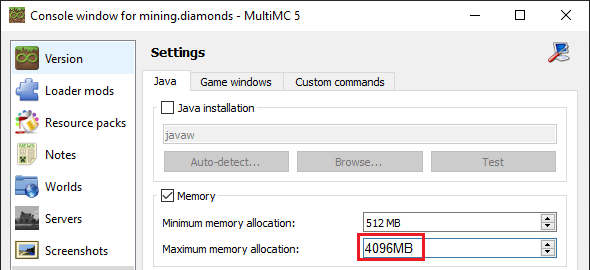
- Close the Settings window
-
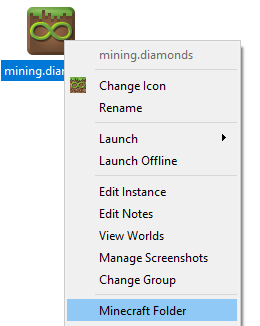
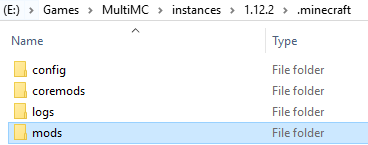
Right-click on the instance > Minecraft folder
-
Create a mods folder if it does not exist and open it
-
Download the following mod pack and extract all the .jar
files into your mods folder:
Current Server Mod Pack
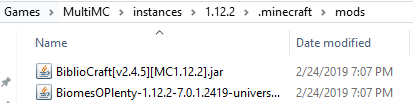
Note: not all mods are shown in this screenshot - Double-click on the Instance in MultiMC and play!